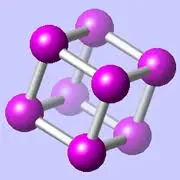
CrystalViewer is a free Mac application from CrystalMaker Software that lets scientists, students, and curious minds explore a curated library of three-dimensional crystal and molecular structures in real time.
What is CrystalViewer?
CrystalViewer is a standalone macOS viewer for pre-built crystal and molecular structure files, giving you a hands-on way to rotate, inspect, and understand the atomic geometry of hundreds of real-world materials — from table salt and diamond to complex protein analogues — without writing a line of code or paying for a full modelling suite.
It ships from CrystalMaker Software, the same team behind the professional-grade CrystalMaker and CrystalDiffract tools used in university research labs worldwide. Think of CrystalViewer as the free on-ramp: you get genuine, scientifically accurate structures rendered beautifully in 3D, with the ability to spin them freely, zoom into bond angles, and switch between rendering styles.
What does CrystalViewer do best?
CrystalViewer shines as a teaching and exploration tool. The bundled gallery covers a wide sweep of material classes — metals, ceramics, minerals, organic compounds — and each entry renders with crisp ball-and-stick, space-filling, or polyhedral visualisations at the tap of a button.
Where it earns its keep is tactile learning. I spent a weekend working through the mineral structures with a geology textbook open alongside it, and being able to spin feldspar or quartz in real time made the coordination polyhedra click in a way that flat diagrams never quite managed. The rendering quality is noticeably above what you get from web-based viewers, with smooth anti-aliasing and depth-cued shading that preserves spatial relationships.
- Ball-and-stick, space-fill, and polyhedral display modes — switch with one click
- Real-time 3D rotation using trackpad or mouse, no lag on Apple Silicon
- Curated, scientifically vetted structure gallery bundled at launch
- Zoom and slice controls to reveal internal packing arrangements
- Clean, native macOS interface that respects system appearance settings
Is CrystalViewer free?
Yes — CrystalViewer is free to download and use. There is no trial timer, no feature paywall, and no account required. The full bundled gallery is available from the moment you launch it.
If you eventually need to build or edit your own structures, that is where CrystalMaker's paid desktop application comes in. CrystalViewer positions itself as a read-only companion: ideal for learning, presentations, and quick reference, but not a replacement for a full crystallographic modelling environment like CrystalMaker, VESTA, or Mercury.
Who should use CrystalViewer?
Chemistry and materials science students are the obvious audience — having an accurate 3D reference open while working through a course saves a remarkable amount of mental effort. But I have found it equally useful as a presentation aid: drop the window onto a shared screen, spin a zeolite framework while explaining pore geometry, and suddenly the room understands.
Science communicators, museum educators, and textbook authors will also find it valuable for generating accurate reference visuals. And for professionals who already own CrystalMaker, CrystalViewer is a frictionless way to share a structure file with a colleague who does not need editing capabilities.
It is less suited to researchers who need to load arbitrary CIF files from the Cambridge Structural Database mid-workflow, measure precise bond lengths, or run diffraction simulations — those tasks call for the paid suite or alternatives like VESTA (free, but significantly less polished on macOS) or Mercury (Cambridge Structural Database's own viewer).
How does CrystalViewer compare to VESTA and Mercury?
CrystalViewer is the most approachable of the three on macOS. VESTA is extraordinarily capable — electron density maps, isosurfaces, arbitrary file format support — but its interface feels like a Unix utility that learned to tolerate mice; the learning curve is steep and the macOS integration is rough. Mercury is tightly coupled to the Cambridge Structural Database ecosystem and is better treated as a CSD companion than a general viewer.
CrystalViewer trades breadth for immediacy. You cannot load your own CIF files in the free tier, and there are no volumetric data tools. What you get instead is a gallery that works instantly and renders beautifully — a meaningful trade-off for anyone whose goal is understanding rather than original research.
What are the best CrystalViewer alternatives?
The closest free alternatives on macOS are VESTA (powerful but complex, better for researchers), Mercury (ideal if you have CSD access), and Jmol (Java-based, browser-embeddable, less polished natively). For paid options, the full CrystalMaker application is the natural upgrade path — it adds structure building, diffraction simulation, and support for dozens of file formats while keeping the same rendering engine.
