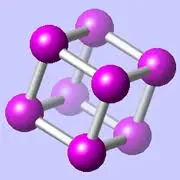
CrystalMaker is a professional scientific application for macOS that lets researchers build, visualise, and analyse crystal lattices and molecular structures in interactive three-dimensional space.
What is CrystalMaker?
CrystalMaker is a dedicated crystallography and materials-science workbench that transforms raw atomic data — unit-cell parameters, space groups, bond lengths — into photorealistic, rotatable 3D models you can interrogate in real time. It is the tool structural chemists, mineralogists, and solid-state physicists reach for when they need to move beyond a flat diagram and actually see what a compound is doing.
The application has been a fixture in university chemistry departments and national laboratories for decades, and that institutional pedigree shows: the diffraction simulation tools, the bond-valence analysis, and the export pipelines are all built to the standard a peer-reviewed publication demands rather than the looser requirements of a classroom demo.
What does CrystalMaker do best?
CrystalMaker's strongest suit is the fluency of its real-time 3D engine — you can spin, slice, and probe a structure containing thousands of atoms without the application breaking a sweat, even on an Intel machine, and Apple Silicon makes it feel genuinely instant.
- Structure building: import CIF, SHELX, PDB, or a dozen other formats and the model appears immediately, symmetry-expanded and colour-coded by element or property.
- Powder and single-crystal diffraction simulation: generate calculated diffraction patterns alongside your model so experimental and theoretical data can be compared on a single screen.
- Bonding and coordination analysis: let the app calculate bonds automatically or dial them in by hand; coordination polyhedra are toggled with a click.
- Animation and sequences: step through a reaction pathway or phase transition as a smooth animation — genuinely useful for teaching and for conference talks.
- Publication-quality rendering: the ray-traced output is striking enough that I have used screenshots directly in journal figures without retouching.
There is no other Mac-native application that matches this combination in one window. VESTA is the closest free rival; it is powerful, cross-platform, and widely used, but its interface belongs to an earlier decade and the learning curve is steeper. Mercury from the Cambridge Crystallographic Data Centre excels at CSD-connected workflows but cannot match CrystalMaker's rendering or animation toolset. For molecular dynamics visualisation, VMD is the incumbent, though it is command-line-heavy and not at all Mac-idiomatic.
How much does CrystalMaker cost?
CrystalMaker is a paid application sold directly from the developer's website; it is not on the Mac App Store. Pricing is structured around single-user perpetual licences and institutional site licences — check the official site for current figures, as academic and student discounts are typically available and the developer runs periodic promotions.
A free trial is offered so you can import your own data and verify the workflow fits before committing. There is no subscription tier; once you own a licence version, it runs indefinitely, though major releases are paid upgrades.
Who should use CrystalMaker?
If your work involves interpreting atomic-scale structure — whether you are a crystallographer solving a new polymorph, a materials scientist hunting for vacancy sites in a perovskite, a mineralogist teaching crystal symmetry, or a pharma researcher interrogating a protein binding pocket alongside its ligand — CrystalMaker was built for you.
It is overkill for a general-purpose molecule viewer used occasionally. If you just need to open a PDB file to make a pretty picture for a slide deck, free tools like Avogadro or even the RCSB web viewer will serve you fine. But if structure analysis is core to your daily research workflow, the depth of CrystalMaker pays off within days.
How does CrystalMaker compare to VESTA?
VESTA is the dominant free alternative and deserves genuine respect — its charge-density isosurface plotting and bond-valence mapping are excellent. But CrystalMaker wins on three fronts that matter daily: a Mac-native interface that actually follows platform conventions, a real-time 3D engine that feels effortless rather than sluggish, and animation support for sequence data that VESTA simply does not offer. For groups already invested in the CSD ecosystem, Mercury complements rather than competes. I run all three; CrystalMaker is the one I open first.
What are the best CrystalMaker alternatives?
The honest answer depends on your discipline:
- VESTA — best free option; strong on charge density; cross-platform.
- Mercury — essential if you work with CSD entries; weaker on rendering.
- VMD — for molecular dynamics trajectories; scripting-heavy.
- Avogadro 2 — open-source molecule editor; better for building than analysis.
- CrystalDiffract — CrystalMaker's sister app, focused purely on diffraction; the two integrate tightly.
